
An import mapping tells GiftAider which column in your file supplies each GiftAider field. A clear, reusable mapping reduces manual corrections and makes repeated imports more predictable.
Before you start
Use a small sample file with the same column headings and formats as future files. Remove passwords, bank details and unrelated information before uploading it.
For a typical claim-ready donation import, have columns for first and last name, address and postcode, country where applicable, donation amount, donation date, and a stable source reference where available.
Breeze assumes the charity already holds valid declaration evidence for claimable data. Amplify can manage declaration records in the product.
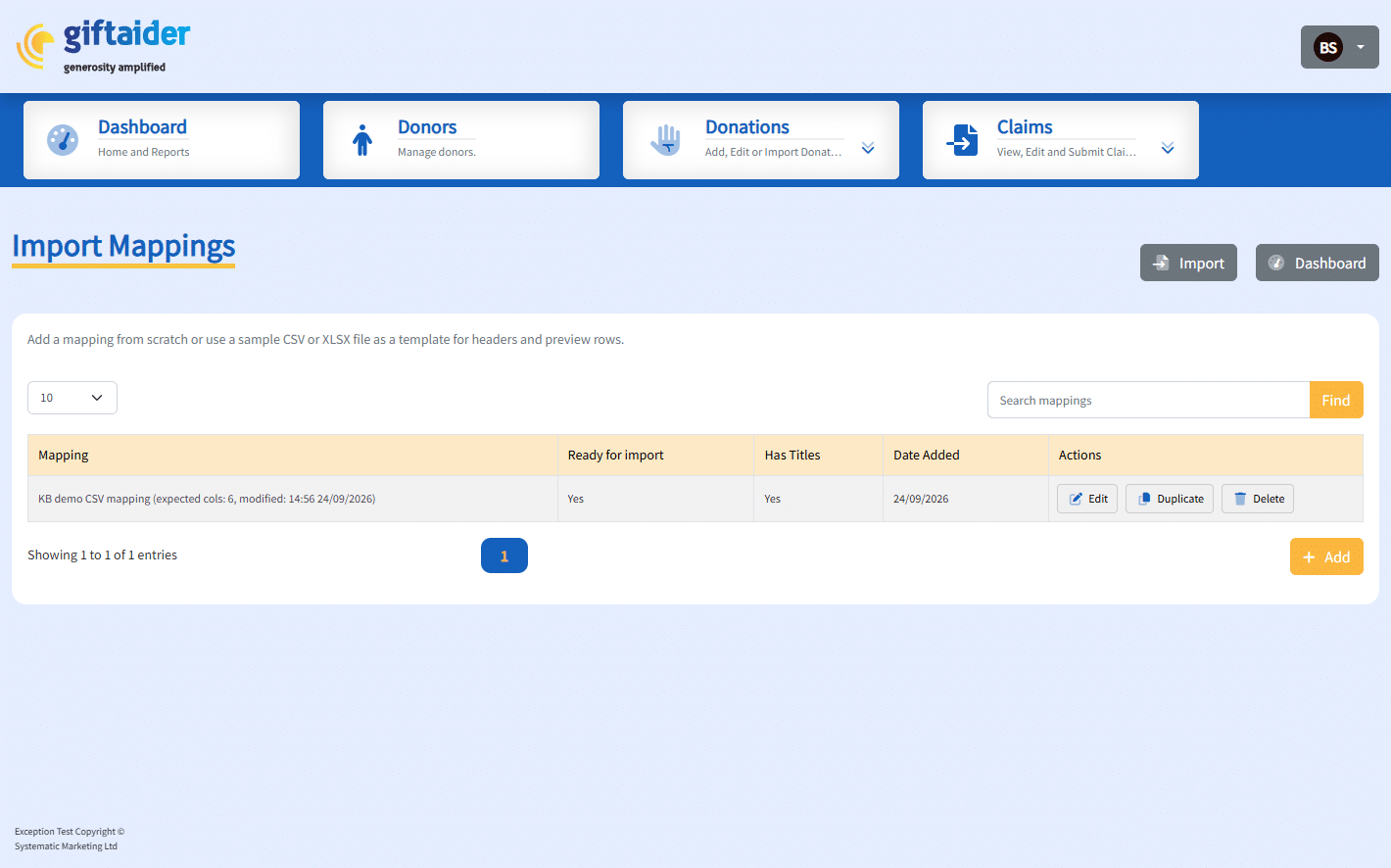
Create a mapping
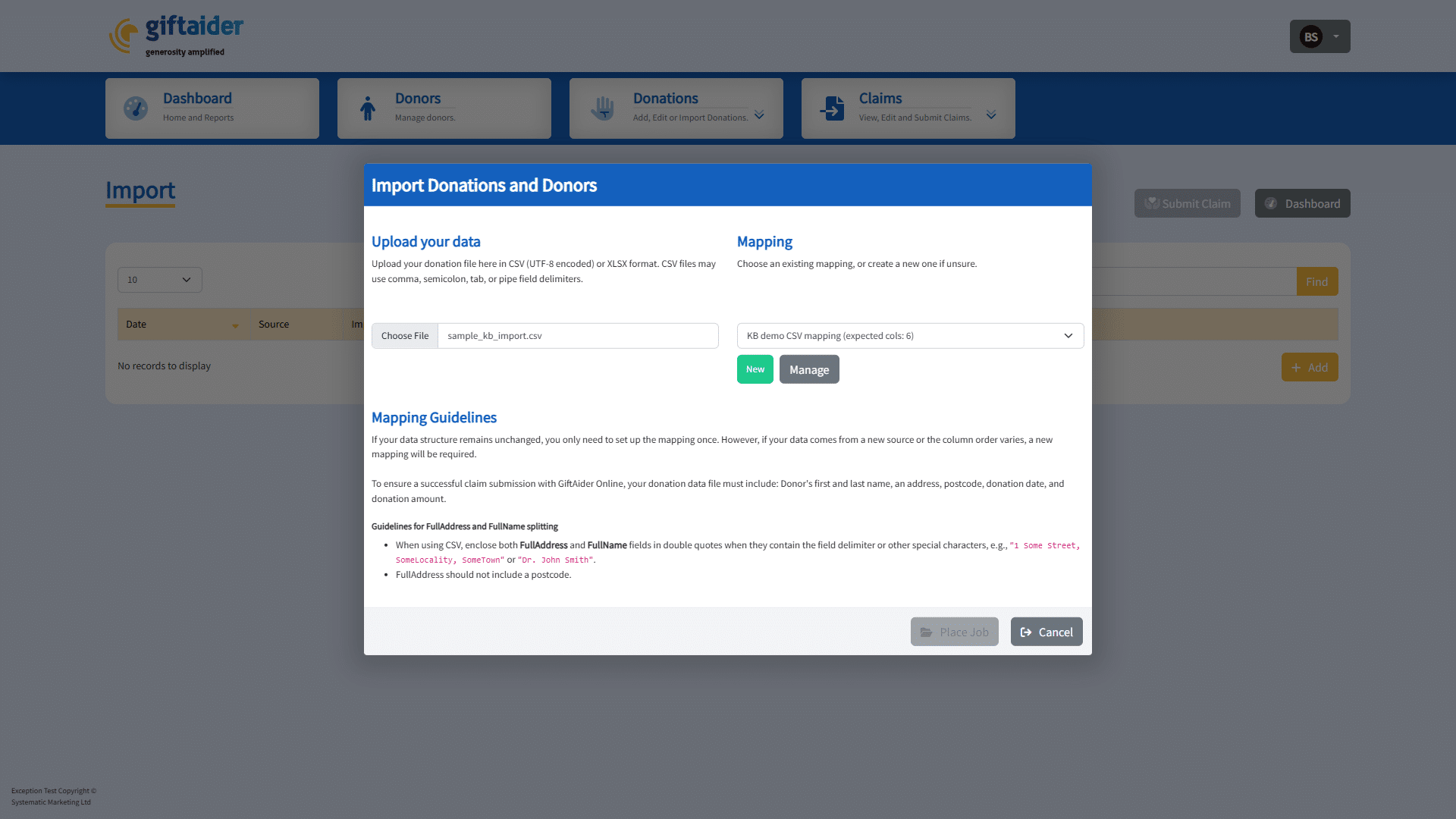
- Open Donations, then the import area.
- Select Add and choose the sample file.
- Select New mapping when it becomes available.
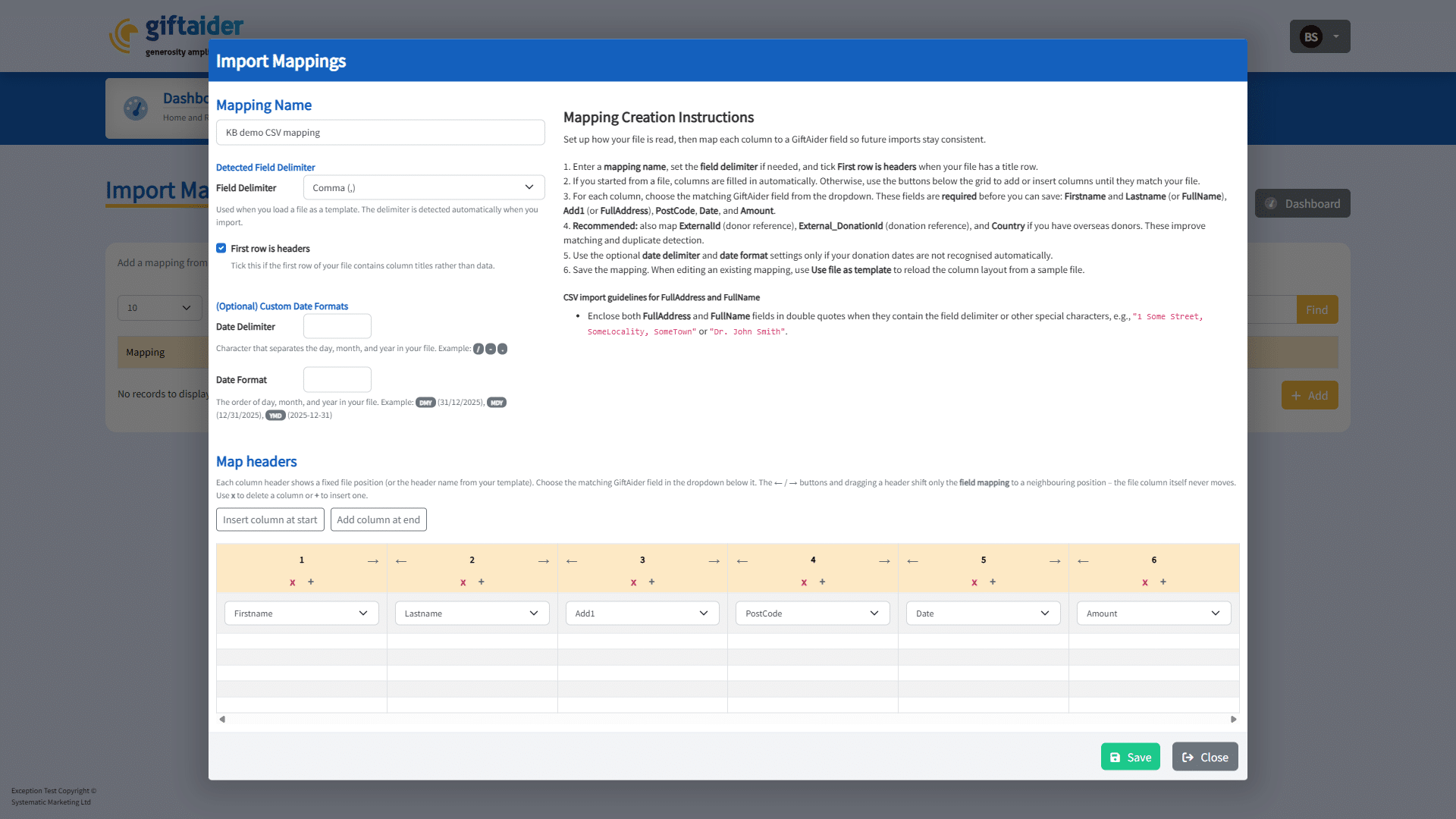
- Give the mapping a name that identifies the source and format.
- Match each source heading to the correct GiftAider field.
- Confirm the required name, address, postcode, amount and date fields.
- If the file uses a non-standard date format, set the date order and delimiter to match the source.
- Review the sample row displayed under each heading.
- Save the mapping.
Spreadsheet dates may arrive as serial numbers rather than readable dates. If the preview shows a number such as 46053, stop and use a corrected export format or contact support.
Reuse or edit a mapping
- Reuse the mapping only when the headings and value formats are unchanged.
- Open the mapping and review it after a source-system export changes.
- Use a new mapping for a materially different file layout.
- Do not leave a required GiftAider field unmapped simply to make the mapping appear ready.
Expected result
The saved mapping is marked ready only when the required fields are valid. A later file with the same structure can select the mapping, preview meaningful sample values and place an import job.
Related guidance
- Importing, merging and preparing Gift Aid claims
- Resolve import errors and download error details
- Preparing your data before moving to GiftAider
Last updated on: October 5, 2026