
Breeze Release 2
Claim declaration evidence
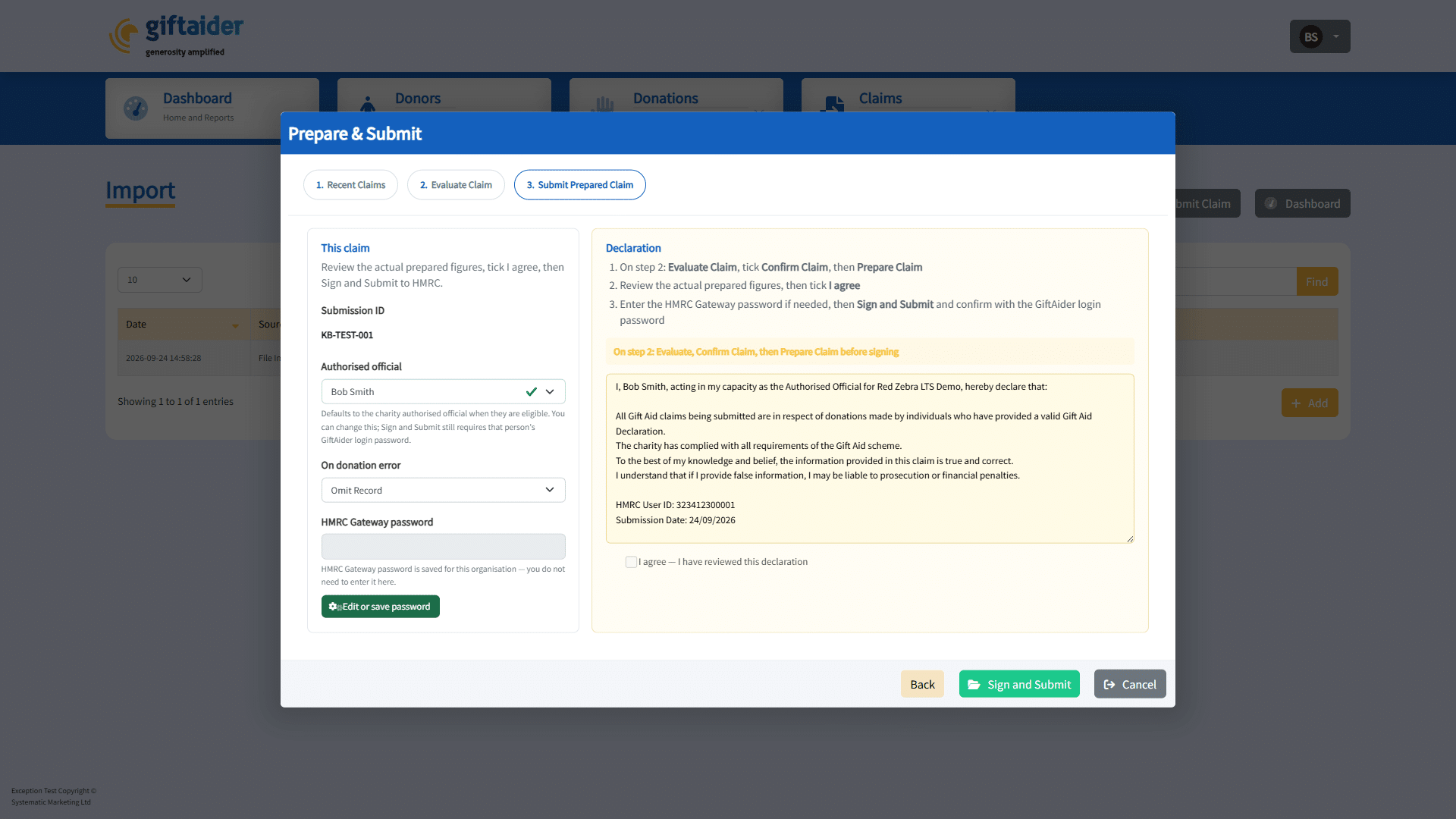
When an authorised official signs a claim, GiftAider stores declaration evidence on that claim (version, hash, signed by, signed at, channel, and the declaration text).
You can review this evidence on the claim after signing.
What you will see
- Declaration status (for example signed or revoked)
- Version and hash
- Who signed and when
- The declaration text that was accepted
When the declaration is revoked
GiftAider clears the signed declaration if claim data changes after signing, for example:
- The authorised official is changed
- Evaluate Claim changes the figures
- Confirm Claim is cleared
- Claim selection changes
You will then need to Confirm / Prepare Claim again as prompted, then Sign and Submit again.
Tips
- Wait until “Loading declaration…” finishes before signing.
- If you see a message that the declaration hash is not ready, wait a moment or re-open Prepare & Submit.
- An active declaration version must exist for signing to succeed.
Last updated: 30 September 2026
Last updated on: September 30, 2026